
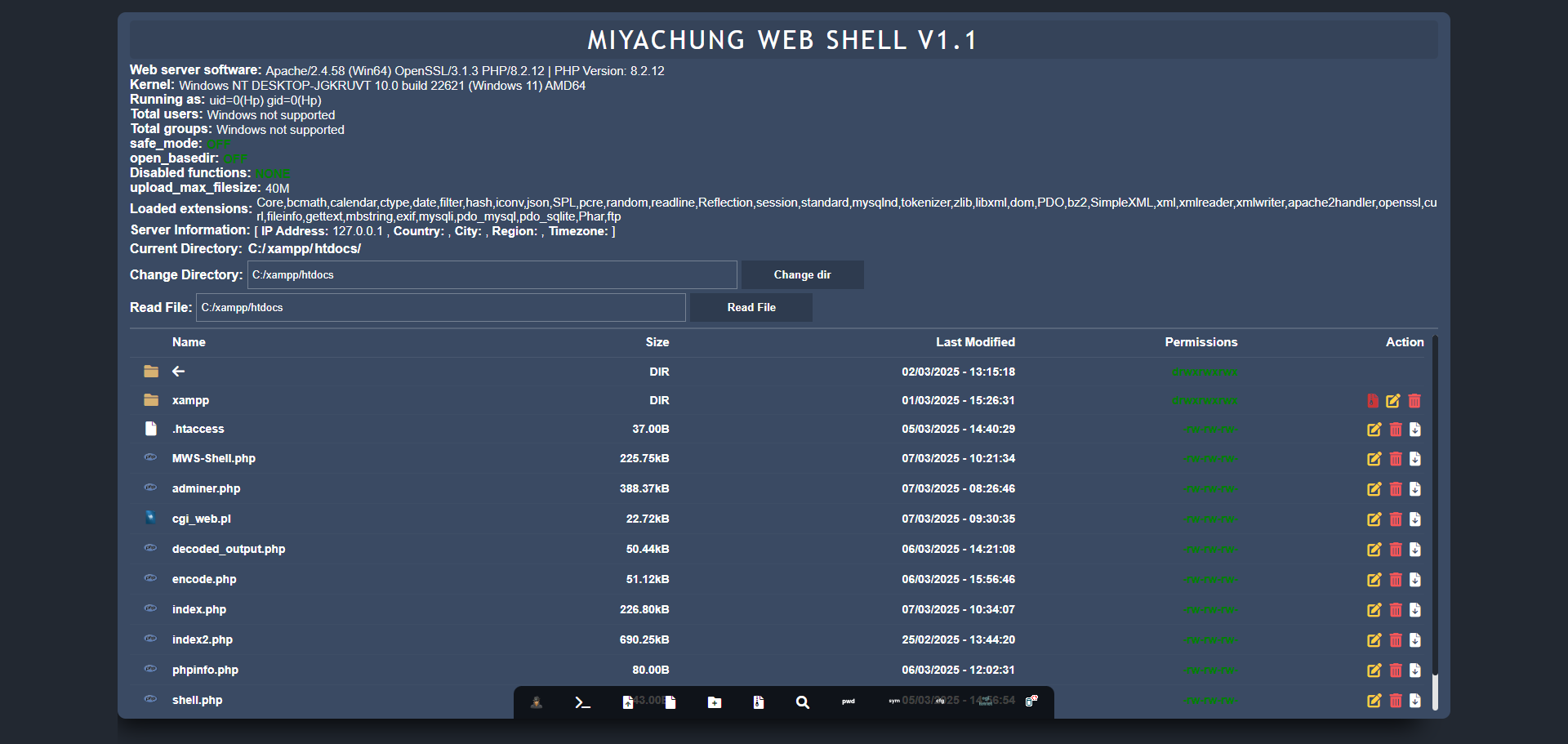
'mws' is a web shell developed using PHP and JavaScript, designed to provide users with the ability to manage and interact with their web servers through a browser interface. This tool offers functionalities that can be both powerful and, if misused, potentially harmful.
- ⚙️ Server Interaction: Execute server-side commands directly from the web interface.
- 🗂️ File Management: Upload, download, and manage files on the server.
- 📊 System Information: View real-time data about server performance and status.
⚠️ Warning: This script possesses capabilities that, if misused, can be harmful to a web server. The author does not assume any responsibility for any malicious or harmful use of this tool.
For those unfamiliar with web shells, here's a step-by-step guide to using 'mws':
- 📥 Download the 'mws' Script: Obtain the latest version from the official GitHub repository: https://github.com/RootShelll/MWS-Shell
- 📂 Upload to Server: Place the 'mws.php' file onto your web server using FTP or another file transfer method.
- 🔒 Set Permissions: Ensure that the script has the appropriate permissions to execute on the server.
- 🖥️ Access via Browser: Navigate to the script's URL (e.g.,
http://yourdomain.com/MWS-Shell.php) to access the web shell interface. - 🛠️ Utilize Features: Use the provided tools to manage files, execute commands, and monitor server status.
🔐 Security Tip: Always ensure that access to the 'mws' script is restricted to authorized users. Implementing authentication mechanisms and IP whitelisting can help prevent unauthorized access.
✅ The 'mws' web shell by miyachung is a versatile tool for web server management, offering a range of functionalities through a user-friendly web interface. However, it's crucial to use this tool responsibly and implement necessary security measures to protect your server environment.